
Download Rewriteit – AI‑Powered Writing Enhancement Tool
Introduction: Why Rewriteit Stands Out in the Crowded AI Writing Landscape
In an era where content creation is both a necessity and a competitive arena, writers of every level seek tools that do more than merely correct spelling errors. They need a partner that can intelligently reshape sentences, suggest richer vocabulary, and preserve the unique voice that defines their brand or personal style. Rewriteit answers that call with a blend of sophisticated artificial intelligence and an educational mindset. Developed by the team at rewriteit, this platform is designed not just to rewrite text, but to teach writers how to improve their craft with each interaction.
What truly differentiates Rewriteit from generic paraphrasing utilities is its commitment to maintaining the author’s individuality. While many AI tools produce a “generic” output that strips away nuance, Rewriteit analyzes context, tone, and stylistic preferences, ensuring the transformed content feels like a natural extension of the original. This focus on voice retention makes it especially valuable for bloggers, marketers, students, and professionals who must stay authentic while polishing their prose.
Beyond the surface-level rephrasing, Rewriteit doubles as a learning companion. As users engage with the tool, they receive instant feedback on grammar, sentence structure, and vocabulary choices. These insights are presented in an easy‑to‑understand format, turning each rewrite session into a mini‑lesson. Whether you’re drafting a research paper, polishing a sales email, or simply trying to write clearer social media posts, Rewriteit offers a secure, user‑friendly environment that encourages continuous improvement.
From a technical standpoint, the platform is cloud‑based, meaning you can access it from any device with an internet connection—no heavy downloads or system requirements. The service also respects privacy, employing end‑to‑end encryption to keep your drafts safe. Whether you’re a Windows power user, a Mac enthusiast, or someone who prefers Android or iOS, Rewriteit’s responsive web app adapts seamlessly to your workflow.
Overview: Core Capabilities and How Rewriteit Elevates Your Writing
Rewriteit’s primary mission is to transform raw text into polished, compelling content while preserving the author’s original voice. The AI engine behind the tool has been trained on millions of sentences across diverse domains, enabling it to recognize subtle tonal shifts, industry‑specific jargon, and stylistic quirks. When you paste a paragraph into the editor, Rewriteit evaluates three key dimensions: clarity, richness, and correctness.
Clarity is addressed by restructuring convoluted sentences, breaking up overly long clauses, and eliminating filler words. The result is a tighter narrative that readers can follow effortlessly. Richness focuses on vocabulary enhancement—suggesting synonyms that are context‑appropriate and expanding word choice without sounding forced. Finally, Correctness covers grammar, punctuation, and spelling, offering real‑time proofreading that adheres to the latest style guides (APA, Chicago, MLA, and more).
One of the standout aspects of Rewriteit is its educational feedback loop. After each rewrite, the tool highlights the changes made and explains why they improve the text. For example, if a passive construction is replaced with an active voice, the system will note the boost in readability and engagement. This approach turns the rewriting process into a learning experience, helping users internalize best‑practice writing techniques over time.
Rewriteit also supports bulk processing, allowing you to upload documents in .docx, .txt, or .pdf formats for batch transformation. This feature is particularly useful for content marketers managing large editorial calendars or students handling multiple essays. The platform respects formatting, preserving headings, lists, and hyperlinks, so the final output is ready for immediate publishing.
Security and privacy are built into the architecture. All user data is encrypted in transit and at rest, and the service complies with GDPR and CCPA regulations. Moreover, Rewriteit does not store your content after the session ends unless you explicitly save it to your personal workspace, ensuring that proprietary or sensitive information remains confidential.
Key Features That Make Rewriteit a Must‑Have Writing Companion
- AI‑Driven Rewriting Engine: Generates alternative phrasings while preserving original tone.
- Voice Preservation Technology: Detects and maintains the author’s unique style across rewrites.
- Vocabulary Enrichment: Offers context‑aware synonym suggestions to enhance lexical richness.
- Advanced Grammar & Proofreading: Real‑time error detection aligned with major style guides.
- Educational Feedback: Provides explanations for each suggested change, turning rewrites into lessons.
- Bulk Document Processing: Supports batch uploads in multiple formats (DOCX, TXT, PDF).
- Cross‑Platform Accessibility: Web‑based interface works on Windows, macOS, Android, and iOS.
- Secure Cloud Storage: End‑to‑end encryption with GDPR/CCPA compliance.
- Customizable Tone Settings: Choose from formal, casual, persuasive, or academic tones.
- Integration Capabilities: API access for CMS, WordPress, and Google Docs plugins.
Installation & Usage Instructions: Getting Started in Minutes
Because Rewriteit is a cloud‑based service, there’s no traditional “installation” process. Getting started is as simple as creating an account and accessing the web app through any modern browser. Follow these steps to begin transforming your text:
- Sign Up: Visit the official Rewriteit website and click “Get Started”. You can register with an email address or use a Google/Facebook account for quick access.
- Choose a Plan: Rewriteit offers a free tier with limited daily rewrites, and premium subscriptions that unlock unlimited usage, bulk processing, and API access. Select the plan that fits your needs.
- Verify Your Email: A verification link will be sent to your inbox. Click the link to activate your account and secure your workspace.
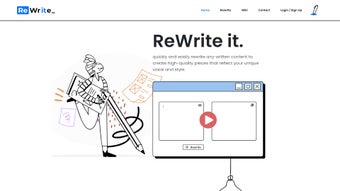
- Navigate the Dashboard: The intuitive dashboard displays a text editor, a “Rewrite” button, and a side panel for settings (tone, style, and language).
- Enter or Upload Text: Paste your content directly into the editor or click “Upload” to import a document file. The system will automatically detect the language and suggest appropriate settings.
- Configure Settings: Choose your desired tone (formal, casual, etc.), enable or disable vocabulary enrichment, and set the level of grammatical strictness.
- Click “Rewrite”: The AI processes the text in seconds. Review the highlighted changes in the side panel, where each modification is accompanied by a brief rationale.
- Accept or Refine: You can accept the suggested rewrite, manually edit any part, or request a new version by clicking “Regenerate”.
- Export or Save: Once satisfied, download the revised document in your preferred format or save it to your cloud workspace for future reference.
For teams, Rewriteit provides a collaborative workspace where multiple users can comment on and edit shared documents, making it ideal for editorial workflows. The platform also offers browser extensions for Chrome and Edge, enabling quick access to rewriting capabilities directly from any web page.
Compatibility: Seamless Performance Across Devices and Operating Systems
Rewriteit’s cloud‑native architecture ensures consistent performance on any device that can run a modern web browser. Whether you’re working on a high‑end Windows workstation, a sleek MacBook, an Android tablet, or an iPhone, the responsive design adapts to screen size while preserving full functionality.
Windows: Supported on Windows 10 and 11. The web app runs flawlessly on Edge, Chrome, and Firefox. For power users, a native Windows app is in beta, offering offline caching of recent projects.
macOS: Compatible with macOS Monterey and later. Safari users enjoy the same feature set as Chrome/Firefox, and the platform’s dark mode syncs with the system setting for comfortable night‑time editing.
Android & iOS: The mobile‑optimized web interface provides touch‑friendly controls, and a dedicated iOS app is available on the App Store. Android users can access Rewriteit through Chrome or install the progressive web app (PWA) for an app‑like experience.
Because all processing happens on Rewriteit’s secure servers, the device’s hardware specifications have minimal impact on speed. Users with slower internet connections may experience a slight delay during bulk uploads, but the system automatically compresses files to maintain performance.
Pros and Cons: A Balanced Look at What Rewriteit Does Well
Pros
- AI rewriting that preserves the writer’s unique voice.
- Comprehensive educational feedback on each suggested change.
- Rich vocabulary enhancement with context‑aware synonyms.
- Robust grammar and style checking aligned with major style guides.
- Secure cloud storage with GDPR and CCPA compliance.
- Cross‑platform accessibility—works on Windows, macOS, Android, and iOS.
- Bulk document processing for large‑scale content projects.
- Customizable tone settings for formal, casual, persuasive, or academic writing.
- API integration for seamless workflow automation.
- Free tier available for occasional users.
Cons
- Premium subscription required for unlimited rewrites and bulk features.
- Dependent on internet connectivity; offline mode limited to beta version.
- Learning curve for new users unfamiliar with AI‑assisted editing.
- Advanced tone customization may require trial and error to perfect.
- Bulk processing of extremely large files may take longer on slower connections.
Frequently Asked Questions
Is Rewriteit free to use?
Rewriteit offers a free tier that allows up to 5 rewrites per day, perfect for casual users or students. For unlimited access, bulk processing, and API integration, a premium subscription is required.Can Rewriteit preserve my personal writing style?
Yes. Rewriteit’s Voice Preservation Technology analyzes your existing text to detect stylistic patterns and ensures that the rewritten output retains those nuances while improving clarity and grammar.Which file formats does Rewriteit support for bulk uploads?
Rewriteit accepts .docx, .txt, and .pdf files for bulk processing. The platform preserves headings, lists, and hyperlinks during the rewrite, making the output ready for immediate publishing.Is my data safe when I use Rewriteit?
Absolutely. All data is encrypted in transit (TLS) and at rest. Rewriteit complies with GDPR and CCPA, and it does not store your content after a session ends unless you choose to save it in your private workspace.Can I integrate Rewriteit with my existing CMS or writing tools?
Yes. Rewriteit provides an API and plugins for popular platforms such as WordPress, Google Docs, and various content management systems, enabling seamless integration into your existing workflow.Conclusion & Call to Action: Elevate Your Writing with Rewriteit Today
When it comes to AI‑assisted writing tools, few deliver the combination of technical sophistication and educational value that Rewriteit offers. Its ability to rewrite content while safeguarding your unique voice sets it apart from generic paraphrasing services. Whether you’re a student striving for clearer essays, a marketer needing persuasive copy, or a novelist polishing chapters, Rewriteit equips you with the resources to write smarter, faster, and more confidently.
With secure cloud processing, cross‑platform accessibility, and a free tier to test the waters, there’s little reason not to give Rewriteit a try. Upgrade to a premium plan to unlock unlimited rewrites, bulk document handling, and API integration—features that can transform an individual writer’s workflow into a collaborative, high‑efficiency content engine.
Ready to experience the next level of writing refinement? Download Rewriteit now and start turning every draft into a polished masterpiece. Your words deserve the best—let Rewriteit help you make them shine.



.png)



